

Download Hackman Suite – hex editor, disassembler, template editor, file editor, data manipulation, RAM editing, disk editing, cryptography, decoding, plugin support, online libraries, command line, processor instructions, tool for developers, advanced editing, file analysis, utility app
Overview
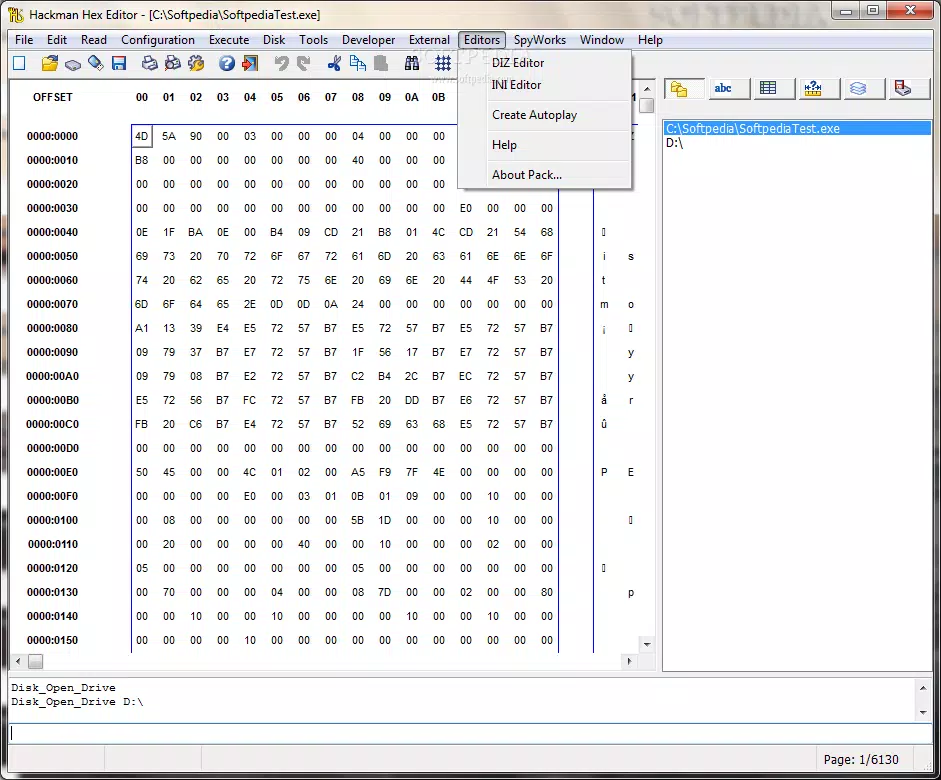
Hackman Suite is a powerful mobile application designed for advanced users seeking precise control over digital data. It functions as a comprehensive hex editor, disassembler, and template editor, enabling users to manipulate files, disk drives, RAM processes, and ZIP drives with a level of detail typically reserved for desktop environments. The app is tailored for developers, reverse engineers, cybersecurity professionals, and technical enthusiasts who require deep-level access to binary data and system-level structures. By offering a word processor-like interface for binary content, Hackman Suite lowers the barrier to entry for complex data editing tasks, making them more accessible without sacrificing precision. Developed by TechnoLogismiki, the app reflects a focus on technical depth and functionality, positioning itself as a specialized utility within the productivity category. Its use cases span from debugging binary files and analyzing firmware to modifying application data and experimenting with custom instruction sets. In the broader mobile app ecosystem, Hackman Suite stands out as a rare example of a high-end developer tool available on Android, filling a niche for users who demand advanced capabilities on mobile devices. The app’s integration with online libraries and internet services further enhances its value as a learning and reference platform.Key Features & Functionality
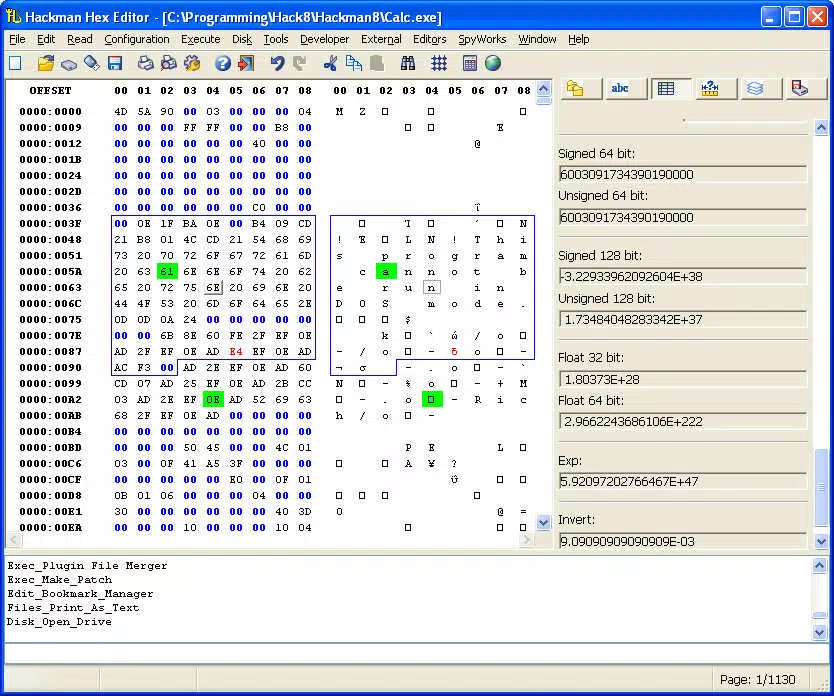
Hackman Suite delivers a suite of advanced tools tailored for technical users. The core functionality centers on its advanced hex editor, which allows users to edit any file type, disk drive, RAM process, or ZIP drive with intuitive, word processor-style editing. This enables real-time manipulation of binary data, supporting both low-level debugging and file customization. The built-in cryptography and decoding capabilities allow users to apply both pre-defined and custom algorithms for secure data encryption and decryption, essential for handling sensitive information or analyzing encrypted payloads. Integrated online libraries provide access to documentation on program usage, processor instructions, and technical references, directly within the app. This resource integration supports continuous learning and troubleshooting during complex editing sessions. The app also features a customizable interface with a dedicated command line for keyboard-only workflows, a menu and shortcut editor, and support for plugins such as date and version changers, icon extractors, and file merger/splitters. These plugins extend functionality based on user needs. Additionally, the disassembler converts source code into processor opcodes, while the template editor supports flow control, enabling users to define custom data structures and editing behaviors. Together, these features form a cohesive environment for deep data analysis, modification, and development.Real-World Use Cases
- Reverse engineering mobile application binaries to identify vulnerabilities or extract embedded data.
- Modifying firmware images for embedded systems by editing raw binary data directly.
- Debugging corrupted files by analyzing and repairing hex patterns.
- Creating custom templates for repetitive data structures in software development projects.
- Extracting and modifying icons or metadata from APK files using plugin tools.
Interface, UX & Performance
Hackman Suite presents a highly functional interface designed for efficiency and precision. The layout prioritizes accessibility to core tools, with a clean separation between the hex editor view, command line, and navigation panels. The visual style reflects a technical aesthetic, emphasizing readability and clarity over decorative elements. Navigation is structured around a menu system with customizable shortcuts, allowing users to streamline workflows. The inclusion of a command line supports keyboard-driven operations, catering to power users who prefer rapid input over mouse interactions. While the developer did not provide formal performance metrics, the app is optimized for use on Android devices with sufficient processing power and memory. It is expected to perform reliably on mid-to-high-end devices, though performance on lower-end models may vary. Responsiveness appears to be consistent during standard editing tasks, though complex operations involving large files or multiple plugins may require additional system resources. Stability is maintained through a structured architecture, though users should ensure regular updates to avoid potential compatibility issues. The app’s interface remains stable across screen sizes, adapting to different form factors without loss of functionality.Platform Compatibility & Technical Requirements
Hackman Suite is available exclusively on the Android platform. It requires Android 8.0 (API level 26) or higher, though specific OS version requirements were not listed. The app has a file size of 28.6 MB, making it relatively lightweight for a tool of its complexity. The software version is 1.0.1, indicating an early release with potential for future updates. Compatibility information was not fully disclosed, so users should verify their device’s specifications before installation. The developer did not specify minimum RAM or CPU requirements. For users considering installation, it is recommended to ensure their device supports advanced background processes and file system access. The app’s functionality may be limited on devices with strict sandboxing or restricted permissions. Overall, the app is designed to run on modern Android devices with standard system capabilities.Pros and Cons
- Advanced hex editing with word processor-like ease of use
- Integrated cryptography and decoding tools for secure data handling
- Access to online libraries and technical documentation
- Extensive plugin support with SDK for custom development
- Customizable interface with command line and shortcut editor
- Powerful disassembler and template editor with flow control
- Price point of $19.99 may be high for casual users
- No official support for iOS or other platforms
- Requires technical expertise to use effectively
- Performance may vary on lower-end Android devices
- Developer did not provide detailed system requirements
FAQ
Is Hackman Suite safe to install on Android?
The app is distributed by TechnoLogismiki and does not contain known malware. However, due to its advanced capabilities, users should ensure they only modify files they have permission to edit.
Can I use Hackman Suite to edit APK files?
Yes, the app supports editing ZIP drives and binary files, which includes APKs. Users can extract, modify, and repackage app components using the built-in tools and plugins.
Does Hackman Suite support iOS devices?
Currently, Hackman Suite is only available on Android. There is no official version for iOS.
How often are updates released?
Updates are released as needed to improve functionality and fix issues. The latest version is 1.0.1, and users should check for updates via the app store.
Is there a free version or trial available?
As of now, Hackman Suite is a paid application with no free trial or version available. The full feature set is included in the $19.99 purchase.


